
Towards the tail-end of 2025, Atlassian released two new collections: The Software Collection and the Atlassian Service Collection.
The latter includes both Jira Service Management (JSM), widely regarded as one of the most popular ITSM platforms on the market, and the recently launched Atlassian Customer Service Management (CSM) app.
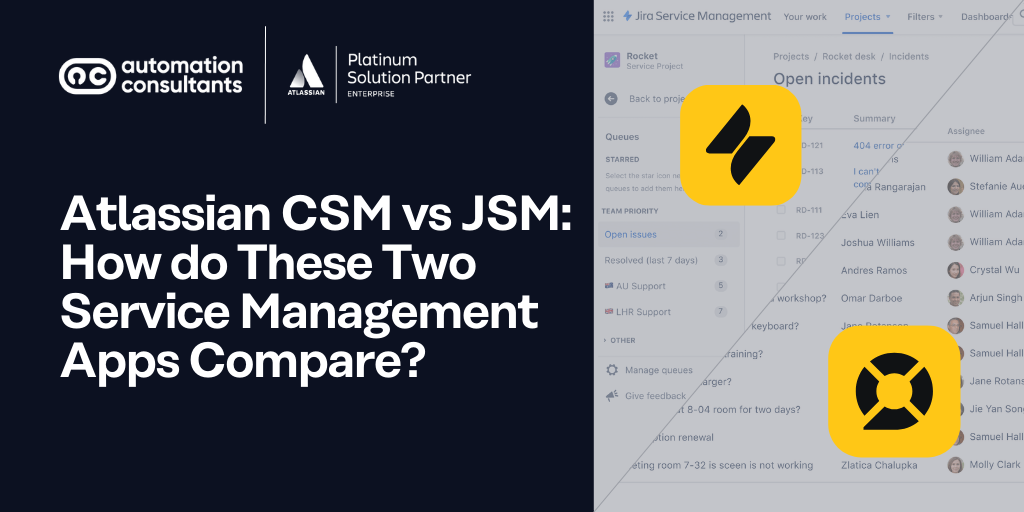
So, how do these two apps compare to one another? In this article, we’ll take a closer look at Atlassian CSM vs JSM to understand how they differ, where they add value, and how you can use them together as part of a complete service management solution.
What is the Altassian Service Collection?
Let’s start with the basics. The Atlassian Service Collection was launched towards the end of 2025, joining the Software, Teamwork and Strategy Collections.
Essentially, the Atlassian Service Collection brings together a carefully selected range of Atlassian Cloud apps and AI Agents and experiences, to deliver a cohesive solution offering. The Service Collection, for example, includes JSM, CSM, Assets and service management-specific Rovo Agents.
As with all Atlassian tooling, the apps and agents within the Service Collection are tightly integrated, for seamless knowledge sharing across teams and business areas. Every app and agent also draws on the Atlassian Teamwork Graph, ensuring that actions, automations and answers all draw upon your organisation’s unique context. That means your people, projects, processes and more.
The Atlassian Service Collection is a Cloud-only offering. If you’re making the move to Cloud – whether due to the sun-setting of Atlassian Data Center, or to access Cloud-only innovations – you must prepare effectively. Find out how in our expert-led webinar!
What is Jira Service Management?
Jira Service Management (JSM) is Atlassian’s end-to-end ITSM platform. Originally known as Jira Service Desk, the tool was enhanced and then relaunched in 2020 as Jira Service Management, a more robust all-in-one IT Service Management solution.
Since then, JSM has further evolved. The tool was always designed to support internal employee service delivery, change management and assets, but now also enables users to scale service management across business teams.
This focus on ‘all teams’ may not be a surprise to those of you familiar with the trajectory that Jira (formerly Jira Software) has taken. Over the past couple of years, Atlassian has transformed the tool into a project management and work-tracking app across all teams, not solely those working in software development.
We’ll come back to JSM use cases for business teams shortly, so we can explore in more depth.
What is Customer Service Management?
One of the newest additions to the Atlassian Cloud Platform, CSM is a dedicated tool for external customer service delivery.
Only available as part of the Service Collection, CSM includes customer-centric features like a fully branded customer support site (also often referred to as a portal), omni-channel support capabilities, and detailed customer histories and context for faster, more effective support.
What is the difference between CSM and JSM?
The core difference of Atlassian CSM vs JSM is that the Customer Service Management app is designed for external customer support, whilst Jira Service Management is designed for internal employee service delivery.
Now, up until the launch of CSM in late 2025, most organisations were either using Jira Service Management to handle their external customer service delivery, or had integrated a third-party platform with JSM.
This isn’t necessarily a problem – JSM is a flexible solution, which can fulfil a range of use cases. However, the arrival of the Customer Service Management app has meant that support teams now benefit from dedicated customer-facing capabilities that JSM simply couldn’t offer.
Crucially, for teams who were previously managing customer service using a third-party tool, CSM provides a deeply integrated Atlassian solution, for greater cohesion and collaboration.
Are you ready for even faster, smarter service management? With our dedicated new solution, you’ll discover what AI experiences and automations you could unlock in JSM, to deliver stronger service.
Jira Service Management key features
JSM includes all the core functionality you’d expect from an end-to-end IT Service Management platform.

🔍 Did you know?
We’ve written extensively about how JSM compares to other leading ITSM platforms. So, for a deeper look into JSM functionality, and how it stacks up against other players in the service management space, you can download your free guide here!
From request management to incident management, Jira Service Management provides the tools that IT, Ops and Dev teams need to triage requests, investigate problems and escalate incidents – quickly and securely.
Alongside this, JSM capabilities include:
Sophisticated Virtual Agents to provide 24/7 employee and user support.
Dedicated service management Rovo Agents, designed to fulfil specific use cases (both out-of-the-box and custom).
AI experiences and automations to enhance request response times, triage processes and enhance ticket resolution – ultimately reducing the burden of repetitive, lower-value work for human agents.
Powerful knowledge base, powered by Confluence. This enables a robust Knowledge Management System, provides an intuitive and simple user experience, and encourages self-service for faster ticket resolution.
Integration with Atlassian apps like CSM, Jira, and more – for a truly cohesive approach to customer service, IT, Ops and Development.
ℹ️ Spotlight on JSM for business teams
We said we’d come back to this, didn’t we?
The templates, agents and workflows within JSM are flexible enough to be tailored to the needs and processes of teams in different business areas. Your HR team, for example, is probably going to receive a lot of requests from employees – and that can swiftly become overwhelming for the team members dealing with them.
With JSM, you can embed the similar structures and processes that IT colleagues might already have in place to handle their service delivery. Think dynamic forms that capture consistent request information, Virtual Agents to respond to and triage initial requests for information, or a knowledge base, tailored to HR information, policies and procedures, which can encourage users to self-serve.
Using proven service management functionality also provides your business teams (like HR, in this example) to track their performance around responding to and resolving employee requests. This shouldn’t be the sole preserve of IT support teams.
When we monitor performance, it leads to several outcomes. The first is that we understand where our strengths lie – which can be a real cause for celebration. Often, business teams don’t have this reporting structure in place. Second, is that it – naturally – shows us where we can improve. Thirdly (and, as we have lots to get through in this article today, finally), it holds us accountable.
Imagine if your business teams could benefit from the structure and consistency of IT Service Management. Now’s your opportunity to make it a reality with our dedicated business team solution.
Service Management for Business Teams: A bespoke Atlassian solution from AC
Customer Service Management key features
Time to turn our attention to the newest member of the Atlassian ecosystem.
Similar to JSM, the CSM app provides 24/7 support from clever Rovo Customer Service Agents. It also includes an intuitive knowledge base to encourage self-service and faster resolutions – again, built on Confluence. The request queues, workflows, routing and SLAs will also probably feel familiar to JSM users.
So, what else does CSM offer?
Omni-channel customer support, from email and website widgets to voice technology integrations.
Detailed customer context, from past orders to recent conversations, so your support teams can help customers with confidence, knowing their full history with your organisation.
Branded customer-facing support site
CSM vs JSM at a glance
We’ve distilled our core insights into JSM and CSM into one handy table for you.
| Category | Jira Service Management (JSM) | Customer Service Management (CSM) |
|---|---|---|
| Designed for… | Internal employee service delivery | External customer support and service |
| First released | 2020 (Formerly Jira Service Desk, released in 2013) | 2025 |
| Part of the Service Collection? | Yes | Yes |
| Hosting options | Cloud; Data Center (Atlassian ending support for Data Center products in March 2026) | Cloud only |
| HIPAA compliant? | Yes (JSM Cloud) | Not yet, but Atlassian advises they are working towards meeting those standards |
| Virtual Agents and Rovo Agents included? | Yes | Yes |
| Knowledge Base built on Confluence? | Yes | Yes |
| Branded support portal/site? | Yes | Yes |
| Integration with Jira to support incident escalation? | Yes | Yes |
Do you work in a regulated industry? We’ve got just the solution for you to ensure your ITSM processes are secure, compliant and scalable. Discover more with the AC Service Management in Regulated Industries solution!
CSM vs JSM - which is right for you?
Well, it’s not a case of one or the other. Ideally, you would use both tools.
In doing this, your IT and Customer Service teams can continue to collaborate, across the two tightly integrated apps, but also benefit from the dedicated functionality each app provides for the two different audiences.
The good news is that both CSM and JSM are included in the Service Collection (alongside the app Assets, and a range of Rovo Agents and AI experiences) – so there’s no need to pay two separate licenses.
Atlassian will move (or may already have done so) existing JSM users over to the Service Collection, so they will automatically benefit from the CSM app.
As always, we’re here to help…
As Atlassian Platinum Solution Partners, and proud recipients of the Atlassian Service Management Specialization, we can guide you through your end-to-end ITSM and customer service processes.
From maximising value from automations and workflows, to simply helping your team with best practice foundations and processes, we’re a trusted (and expert) pair of hands.
And, if you’re impacted by the move away from Data Center to Cloud, we’re also Atlassian Cloud Specialized – and happy to have a chat about your Cloud migration plans.