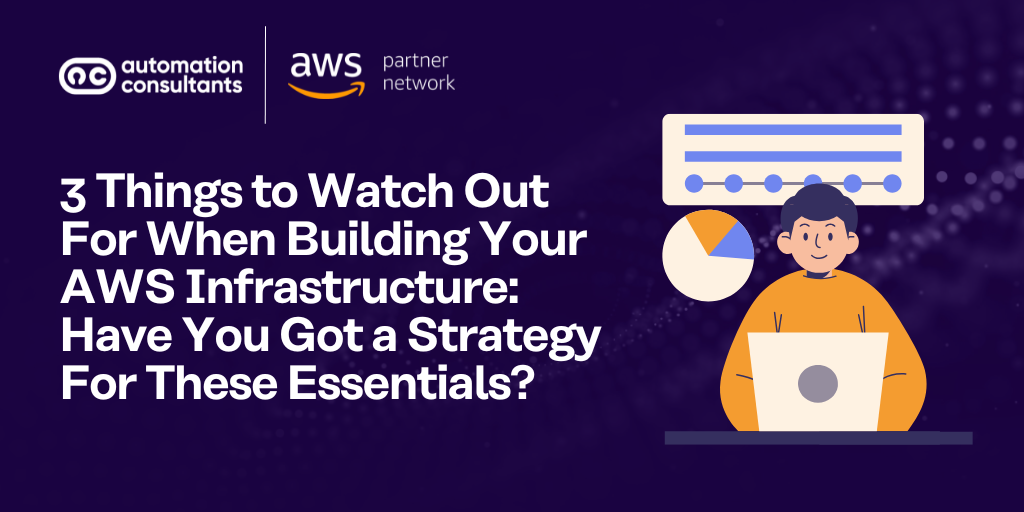

Building your organisation’s infrastructure on Amazon Web Services (AWS) can be one of the most important technology decisions you make.
From compute and storage to analytics, automation and security, AWS offers an extensive suite of services that can transform how businesses deliver technology. However, many teams find that initial deployment is only the beginning.
In this article, we share key tips for building and managing your AWS infrastructure effectively – whether you’re building from scratch or refining an existing environment. We’ll cover three key areas:
AWS infrastructure security
Security lies at the heart of every AWS environment. Now, it’s widely known that AWS provides one of the most secure and resilient cloud platforms in the world. Under the Shared Responsibility Model, however, customers are still accountable for how their data, identities, and configurations are protected.
In practice, and what we sometimes see in our line of work here at AC, is that most vulnerabilities arise not from AWS itself, but from human error. This could include misconfigured permissions, unmonitored resources or unclear governance structures.
To prevent these issues in the first place, you’ll need to build a strong and proactive security posture from the outset.
By embedding security across architecture, operations and culture, organisations can create an AWS environment that is compliant, resilient, and capable of evolving safely as the business grows.
Let’s look into AWS infrastructure security in greater depth.
As an AWS Select Partner, here at AC we can support you with our AWS consultancy services. Maximise value from your AWS infrastructure, and let us guide you to long-term Cloud success.
Intelligent access control
Effectively managing identity and access is one of the most fundamental aspects of AWS security.
Without a clear framework for who can access what, when and why, even well-designed architectures can become vulnerable over time.
AWS Identity and Access Management (IAM) provides the controls to define permissions precisely, ensuring that every user, service and application operates within a known and limited scope of authority.
Principle of least privilege
The first and, arguably, most important concept in IAM is the principle of least privilege.
This means granting only the permissions that are necessary for a given task and nothing more. Within AWS, this involves designing granular IAM policies that assign permissions at the smallest practical level.
ℹ️ Best practice tip!
It is good practice to group users by role rather than by individual, as this simplifies management and promotes consistent policy enforcement.
To enforce stricter policies, your IAM policies can include conditions or tag-based rules that restrict access to specific resources or environments using their Amazon Resource Names (ARNs).
Avoid using overly broad statements such as wildcards (“*”) which effectively remove all boundaries around what an account can do.
Visibility and governance
Good identity management also relies on visibility and governance. Regular reviews using IAM Access Analyzer and AWS Config help identify roles that have accumulated unnecessary permissions or resources that are accessible to unintended users.
These tools make it possible to detect risky configurations automatically, providing the assurance that permissions remain appropriate as your AWS environment evolves.
For larger organisations, integrating AWS with an existing identity provider can significantly simplify management and strengthen governance.
Single Sign-On (SSO) and federated identity management through AWS IAM Identity Centre allows users to access AWS using their corporate credentials from platforms such as Microsoft Active Directory, Entra ID or Okta. Federation uses standards like SAML 2.0 or SCIM to synchronise identities and manage lifecycle events such as onboarding or de-provisioning employees. This ensures that access rights are applied consistently and revoked automatically when a user leaves the organisation.
Beyond security, this approach improves the user experience and operational efficiency. Teams benefit from a single set of credentials, which reduces password fatigue and support overheads. Centralised identity also enables stronger compliance reporting, as every access event can be traced through a single audit trail across both cloud and on-premise environments.
Migrating to AWS Cloud? Let us guide you through your migration process – smoothly, simply and securely. With minimal downtime stress, we’ll help you migrate to AWS Cloud with confidence.
Encryption and your AWS infrastructure
When it comes to protecting data in the Cloud, encryption should always be part of the plan. It is one of the most reliable ways to safeguard sensitive information and build trust with customers and stakeholders. In AWS, encryption ensures that data remains private and accessible only to authorised users and systems, whether it is being stored, transferred or processed.
AWS provides a wide range of tools that make encryption both accessible and consistent across your environment. Enabling encryption by default for data at rest is an essential best practice. Services such as Amazon S3, Elastic Block Store (EBS) and Relational Database Service (RDS) integrate seamlessly with AWS Key Management Service (KMS), which manages key creation, rotation and access control.
For organisations working within strict compliance frameworks, using customer-managed keys (CMKs) provides an additional layer of assurance by allowing full ownership of key lifecycles and access permissions.
ℹ️ Spotlight: How can you manage credentials and certificates?
Beyond encryption itself, AWS offers several services that help manage credentials and certificates securely. AWS Certificate Manager (ACM) simplifies the process of issuing and renewing certificates, reducing the risk of outages caused by expired credentials.
AWS Secrets Manager and Systems Manager Parameter Store provide secure storage for passwords, API keys and configuration data, automatically encrypting them with KMS and controlling access through IAM policies.
In AWS, encryption is a foundational security measure that protects against both external threats and internal mistakes. By applying encryption consistently and managing it effectively, organisations can strengthen their overall security posture and operate in the cloud with greater confidence.
How can you segment and isolate networks ?
A well-structured network is one of the most effective ways to reduce risk in any AWS environment. By carefully segmenting and isolating different parts of your infrastructure, you limit the impact of potential security incidents and prevent unauthorised access to sensitive systems.
At the heart of this approach is the Virtual Private Cloud (VPC) which provides complete control over your network architecture. Within a VPC, workloads can be separated according to their purpose, sensitivity or department. For example, public-facing resources such as load balancers or bastion hosts can be placed in public subnets, while application servers, databases and internal APIs can remain within private subnets that are protected from direct internet access.
Security groups and Network Access Control Lists (Network ACLs) add another layer of protection by filtering traffic into and out of these environments. Security groups act as stateful firewalls at the instance level, while Network ACLs operate at the subnet level and apply rules for both inbound and outbound traffic. Together, these tools define precisely how data flows across your infrastructure, helping to maintain a strong security boundary between different workloads.
Did you know? Atlassian Cloud is hosted on AWS infrastructure. If you’re getting ready to migrate from Atlassian Data Center to Cloud, take confidence in AWS’ enterprise-grade Cloud security. And why not prepare for your Cloud migration with our Atlassian Tooling Health Check solution? It’s an essential first step to enhance Cloud migration success.
What about network topologies?
For more complex network topologies, services such as VPC Peering and AWS Transit Gateway allow secure communication between environments without sending traffic across the public internet. When connecting to AWS services or software-as-a-service (SaaS) applications, AWS PrivateLink enables private connectivity over the AWS network using internal IP addresses. This approach keeps data within controlled pathways and reduces exposure to external threats.
How can I secure hybrid environments?
For hybrid environments that need secure connectivity from on-premises data centres, organisations can also use AWS Direct Connect or a Virtual Private Gateway. These options provide dedicated, high-bandwidth connections to the AWS backbone network, offering lower latency and greater reliability compared to standard internet connections.
Network segmentation is not only about security but also about clarity and control. It allows teams to better manage access, monitor traffic and enforce compliance requirements. When designed properly, an AWS network becomes more predictable, more efficient and much easier to secure as your cloud footprint expands.
Monitoring in your AWS environment
You cannot protect what you cannot see. Proactive monitoring allows you to detect and respond to potential threats before they cause disruption. By combining AWS’s monitoring tools with automated responses, organisations can transform security from a reactive task into an ongoing, intelligent, proactive process.
Use CloudTrail to lay monitoring foundations
The foundation of monitoring in AWS starts with AWS CloudTrail. CloudTrail creates a complete history of user actions and configuration changes, providing a clear audit trail that can be used for investigations or compliance reporting. When integrated with Amazon CloudWatch or EventBridge, CloudTrail data can trigger alerts whenever unusual activity is detected, such as failed login attempts or unauthorised changes to network configurations.
How to detect threats in AWS
To enhance threat detection, Amazon GuardDuty uses machine learning and threat intelligence to identify suspicious behaviour across your accounts, workloads and data. It continuously analyses network logs, DNS queries and access patterns to flag potential risks such as compromised credentials or communication with known malicious hosts. Findings from GuardDuty can be centralised in AWS Security Hub, which aggregates alerts from multiple AWS services and third-party tools into a single, easy-to-manage view.
However, detection alone is not enough. The ability to respond quickly is just as important. Building automated incident response processes using AWS Systems Manager Automation or AWS Lambda allows you to take immediate action when threats arise. For example, these tools can disable compromised access keys, isolate affected resources or notify relevant teams within seconds of an event being detected.
Proactive monitoring is about staying one step ahead. It ensures that threats are identified early, that incidents are handled consistently and that security teams spend less time chasing alerts and more time improving resilience. By integrating visibility, automation and intelligence, organisations can build an AWS environment that continuously defends itself and adapts to new challenges with confidence.
Case studies:
How to integrate security into automation
In Cloud environments, security should not be something that happens after deployment. It needs to be built into every stage of development and operations.
By integrating security directly into automation, organisations can ensure that every change and update follows the same set of trusted controls, reducing human error and improving consistency across all environments.
Infrastructure as Code
Infrastructure as Code (IaC) lies at the centre of this approach. Tools such as AWS CloudFormation, Terraform and the AWS Cloud Development Kit (CDK) allow teams to define their infrastructure in code. This makes every configuration version-controlled, testable and repeatable. Embedding security settings within IaC templates ensures that best practices, such as encryption, logging and least privilege permissions, are automatically applied whenever new resources are deployed.
Automation can also be extended through continuous integration and continuous delivery pipelines. By introducing security validation steps within CI/CD workflows, teams can automatically check for vulnerabilities or non-compliant configurations before code reaches production. AWS provides several tools to support this, including AWS CodePipeline, AWS Config Rules and AWS Security Hub, which can evaluate deployments against predefined security policies and industry standards.
Integrating security into automation does more than just protect infrastructure. It creates a culture of accountability and consistency where every deployment meets the same security expectations by design. This shift from manual enforcement to automated assurance not only saves time but also gives teams greater confidence in their ability to innovate quickly without compromising compliance or control.
Cost management for Cloud infrastructure
Managing costs in AWS is one of the most important yet often underestimated aspects of running a Cloud environment. The pay-as-you-go model gives teams freedom to experiment, scale, and innovate without committing to expensive infrastructure upfront.
Without careful planning and clear ownership, however, spending can balloon quickly and unpredictably.
ℹ️ Spotlight on hidden costs
Hidden Cloud infrastructure costs often emerge from everyday activity:
- Development teams may leave instances running after testing
- Storage volumes can multiply as data grows
- Workloads can scale automatically even when demand has slowed
Over time, these small inefficiencies add up and can erode the financial benefits of cloud adoption.
Effective cost management in AWS is not about limiting innovation but about ensuring every resource is used purposefully. It starts with creating awareness across teams, establishing accountability for budgets, and aligning spending with business priorities.
Treat cost management as an integral part of Cloud strategy rather than a finance task – then your team can enjoy the full flexibility of AWS without the surprise of unexpected bills.
Understand and track your spend
Once a cost-conscious culture is in place, the next step is gaining clear visibility into how your organisation uses AWS resources. Understanding exactly where money is being spent enables teams to make informed decisions and prevent inefficiencies before they accumulate.
AWS provides several tools that make cost transparency easier to achieve. AWS Cost Explorer helps analyse spending patterns across services, regions, and time periods, revealing which workloads contribute most to overall spend. AWS Budgets adds a proactive layer of control by sending alerts via Amazon SNS, which can forward notifications to email, chat platforms or automation workflows when spending or usage exceeds defined thresholds.
Track your costs in greater depth
For more advanced analysis, the AWS Cost and Usage Report (CUR) provides detailed billing data that can be integrated with Amazon Quick Sight or other analytics platforms for forecasting and financial planning. Consistent resource tagging is equally important, allowing teams to allocate costs by department, project, or environment.
By combining detailed visibility with proactive alerts, organisations can move from simply tracking costs to actively managing them and ensuring that every pound spent in AWS contributes to genuine business value.
Right-sizing and automating
Understanding where your AWS spend comes from is only part of the picture. The next step is to ensure that your resources are being used efficiently.
Right-sizing means adjusting compute, storage and network resources to match actual workload requirements. Analysing utilisation metrics helps identify underused or oversized instances, which can then be reconfigured or replaced with more appropriate options. For workloads that run consistently, Reserved Instances or Savings Plans offer predictable pricing and substantial savings over time.
Outsource your AWS infrastructure maintenance and optimisation with our specialist AWS Managed Services provision. Reduce your teams’ workloads and place your environment in safe hands with the AC team.
Automation takes cost control a step further. By scheduling non-production environments to shut down when not in use or scaling services automatically to match demand, teams can reduce waste without manual intervention. AWS features such as Auto Scaling, Instance Scheduler and Lambda functions make these optimisations simple to implement and maintain.
The goal is to create a dynamic environment that adapts to workload changes on its own. When right-sizing and automation are embedded into normal operations, cost optimisation becomes a continuous process that supports agility and sustainability rather than a one-time review exercise.
Optimising storage and data transfer
Storage and data transfer are often overlooked when it comes to managing AWS costs. Individually, these charges may seem small, but over time they can become significant if not monitored and optimised. Unlike compute resources, which are typically reviewed regularly, storage and network usage often grows quietly in the background.
Storage
For storage, AWS offers multiple options that balance performance, availability and cost. Services such as Amazon S3 include several storage classes, from S3 Standard for frequently accessed data ,to S3 Glacier and S3 Glacier Deep Archive for long-term retention. Implementing lifecycle policies allows data to move automatically between these classes based on age or access frequency, ensuring that rarely used files do not occupy more expensive storage. Similarly, removing unused EBS snapshots and pruning obsolete backups can prevent unnecessary accumulation of costs.
Data transfer
Data transfer can also have a surprising impact on the overall bill, particularly for workloads that span multiple regions or rely on public endpoints. Moving large amounts of data between Availability Zones (AZs) or out of AWS can incur additional charges. To reduce this, it is best to keep resources that communicate frequently within the same region or AZ whenever possible. For content delivery, Amazon CloudFront helps lower outbound transfer costs by caching data closer to users and improving performance at the same time.
By paying attention to how data is stored, accessed and moved, you can uncover savings that go beyond that of compute and licensing. Storage lifecycle management and efficient network design not only reduces costs but also create a leaner, more sustainable cloud architecture that scales gracefully as demand grows.
Cost governance
Without clear accountability and processes in place, even well-optimised environments can quickly drift from their intended budgets. Establishing cost governance ensures that financial control and cloud operations remain aligned as usage grows and teams scale.
Effective governance begins with visibility and ownership. Each team should understand how their workloads contribute to the overall spendi and use this knowledge to make informed decisions about resource use. Regular cost reviews help maintain this awareness and allow teams to identify new optimisation opportunities before issues become significant.
The value of a FinOps approach
Many organisations adopt a Cloud Financial Management (FinOps) approach, where finance, engineering and operations teams work together to balance innovation with cost efficiency. This cross-functional model promotes a shared understanding of budgets, performance targets and business outcomes. Over time, it creates a culture where cost awareness becomes part of day-to-day operations rather than an afterthought.
AWS provides governance tools that support these practices. AWS Budgets and Cost Anomaly Detection can alert teams to unusual spending patterns, while Service Control Policies (SCPs) within AWS Organisations help prevent the use of unapproved or high-cost resources. These controls work best when paired with clear policies that define spending thresholds, approval processes and reporting structures.
Cost governance is ultimately about enabling control without limiting agility. When supported by the right policies, culture and automation, it gives organisations the confidence to scale on AWS responsibly, ensuring that every resource delivers measurable value.
Lay the foundations of your AWS infrastructure with a free discovery call. Let’s discuss your blockers, understand your objectives and work through some initial recommendations.
Growth
Scalability is one of the greatest advantages of AWS, although it still requires careful configuration and monitoring to work effectively.
To make the most of the platform’s flexibility, you should design with growth in mind from the very beginning. A well-architected environment should be able to handle increasing workloads, new applications and changing business needs without introducing unnecessary cost or complexity.
Designing for growth
Designing for growth starts with building elasticity into your infrastructure. AWS provides the ability to scale resources up or down automatically based on demand. Using services such as Auto Scaling Groups and Elastic Load Balancing (ELB) ensures that applications remain available and performant during traffic spikes, while scaling back during quieter periods to control costs. When combined with monitoring tools like Amazon CloudWatch, these capabilities enable your environment to adapt dynamically, maintaining efficiency and reliability without manual intervention.
Performance optimisation
Performance optimisation should also be seen as an ongoing practice rather than a one-off exercise. AWS environments are dynamic, and what works well today may not be optimal six months from now. Regularly reviewing workloads against the AWS Well-Architected Framework helps identify areas for improvement across the five key pillars: operational excellence, security, reliability, performance efficiency and cost optimisation. Tools such as AWS Trusted Advisor and Compute Optimizer can highlight performance bottlenecks, inefficient configurations or cost-saving opportunities.
Preparing for the future
Finally, designing for growth also means preparing for the future. This includes using Infrastructure as Code (IaC) tools such as AWS CloudFormation or Terraform to create repeatable, version-controlled infrastructure deployments. It also means maintaining clear documentation and consistent tagging standards so that the environment remains transparent as it expands. A scalable architecture is not just one that grows easily, but one that can be managed, audited and improved over time.
By combining intelligent design with regular performance reviews and proactive management, organisations can ensure their infrastructure evolves alongside their ambitions rather than becoming a barrier to innovation.
Build your AWS infrastructure even better: With a partner
Building and managing an AWS environment is a journey that combines technology, process and continuous improvement.
From securing workloads and controlling costs to designing for long-term scalability, the most successful organisations treat Cloud adoption as an evolving discipline rather than a single project.
Partnering with an experienced AWS consultancy, like our team here at Automation Consultants, can make that journey faster, smoother and more effective. We bring a proven understanding of best practices, governance and change management with us – and can help you to build architectures that grow in line with your ambitions.
Here at AC, we help organisations like yours to design, review and optimise Cloud environments across all stages of the AWS journey. Whether you’re modernising existing infrastructure or starting fresh, our team of experts can help you build a cloud foundation that delivers real, measurable results.